> ## Documentation Index
> Fetch the complete documentation index at: https://hedera-0c6e0218-docs--429.mintlify.site/llms.txt
> Use this file to discover all available pages before exploring further.
# Configuring Validation Cloud RPC endpoints
[Validation Cloud](https://www.validationcloud.io/node)
is a third-party organization that runs a JSON-RPC and Mirror Node managed service for Hedera as well as other
popular blockchain networks. It is a "freemium" offering, meaning it has a free tier and a paid offering. As a
managed service, it:
* Is free to use up to a point, with a free usage allowance that resets every month
* Does not require a credit card to sign up, only an email address
* Does not apply specific rate limits and can scale to be used by high volume apps
This combination makes it fairly straightforward to use and more reliable than the public RPC endpoint.
To connect to Hedera networks via Validation Cloud, simply use this URL when initializing the wallet or web3
provider instance:
**Note:** Validation Cloud provides RPC endpoints for Hedera Mainnet and Hedera Testnet but not for Hedera Previewnet.
You will need to replace ``
with a Validation Cloud API Endpoint Key, and that requires the following prerequisite steps:
* (1) Sign up for an account at [`app.validationcloud.io/api/auth/signup`](https://app.validationcloud.io/api/auth/signup)
* (2) Accept the terms of use and then verify your email address
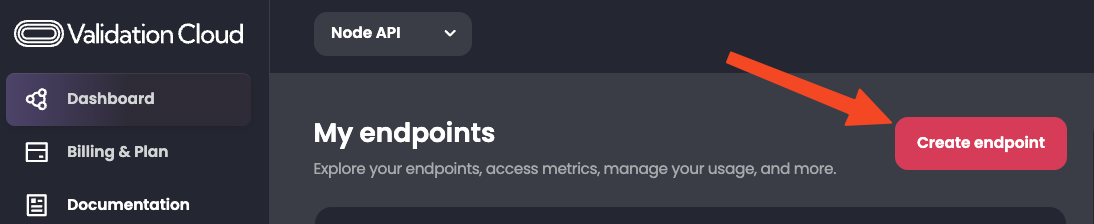
* (3) Click the "Create endpoint" button at the top of the Validation Cloud Node API dashboard:
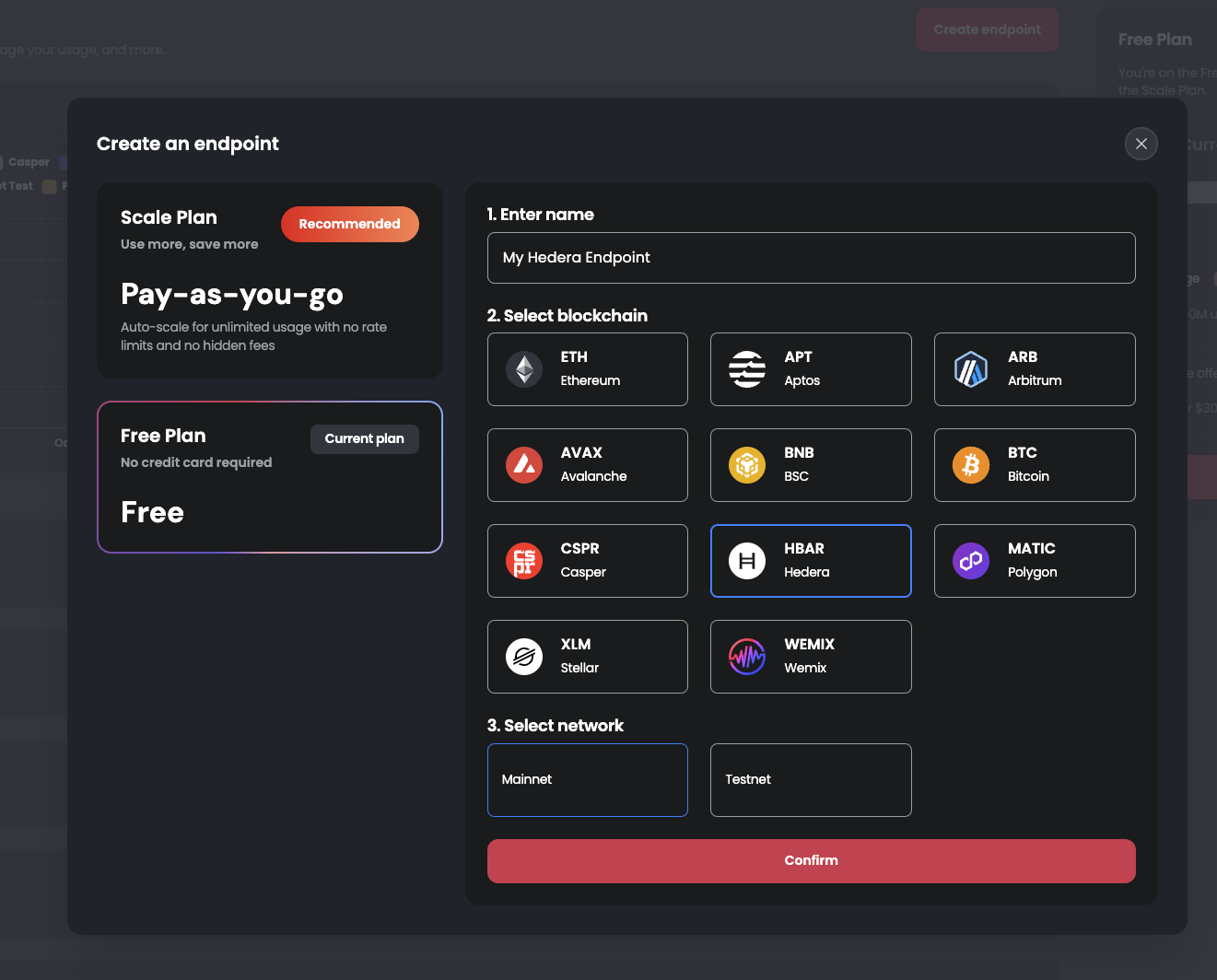
 * (4) Fill in a name for the endpoint, select Hedera and pick whether you want Testnet or Mainnet, then click
on the "Confirm" button:
* (4) Fill in a name for the endpoint, select Hedera and pick whether you want Testnet or Mainnet, then click
on the "Confirm" button:
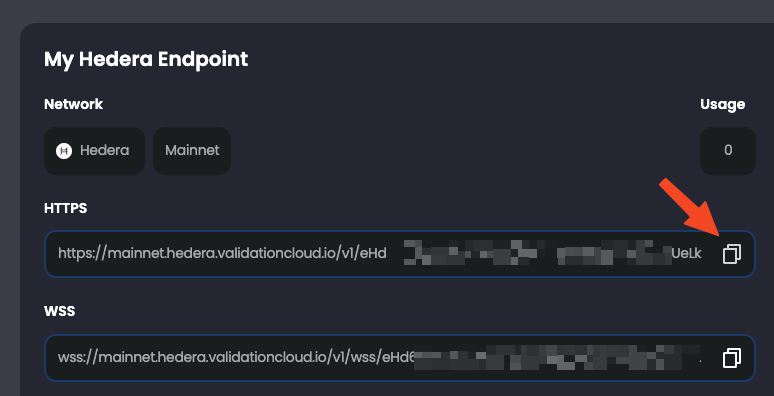
 * (5) Your key should now be created and you can click the copy to clipboard icon to use it to make requests:
 Now you're ready to connect to an RPC endpoint or query a Mirror Node via Validation Cloud!
You can also watch this short video showing the process end-to-end, with examples of making Hedera JSON-RPC and Mirror Node requests with Validation Cloud:
Now you're ready to connect to an RPC endpoint or query a Mirror Node via Validation Cloud!
You can also watch this short video showing the process end-to-end, with examples of making Hedera JSON-RPC and Mirror Node requests with Validation Cloud: